
Veld
Shape stereo width across four frequency bands, generate width from mono, and keep correlation in view.
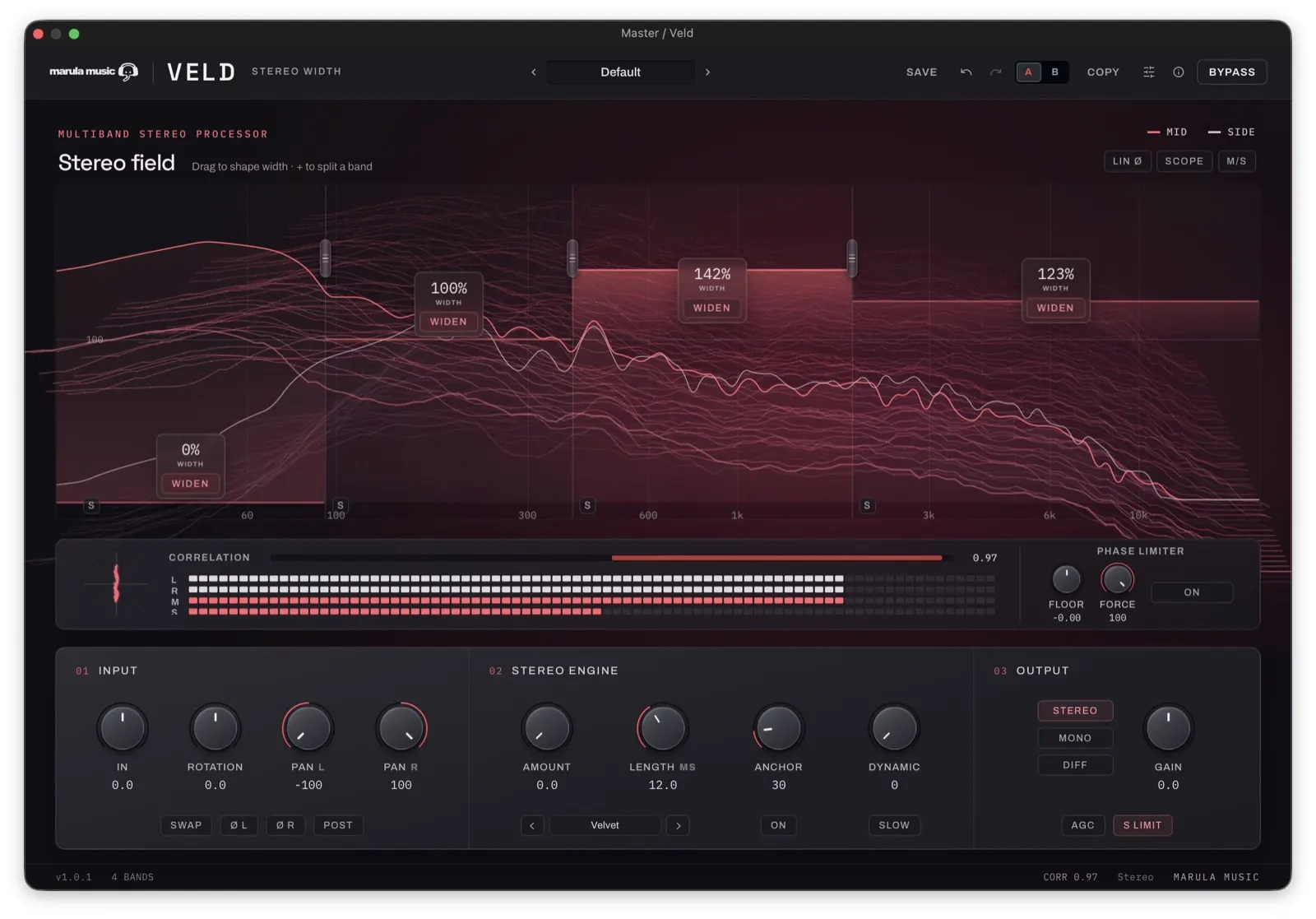
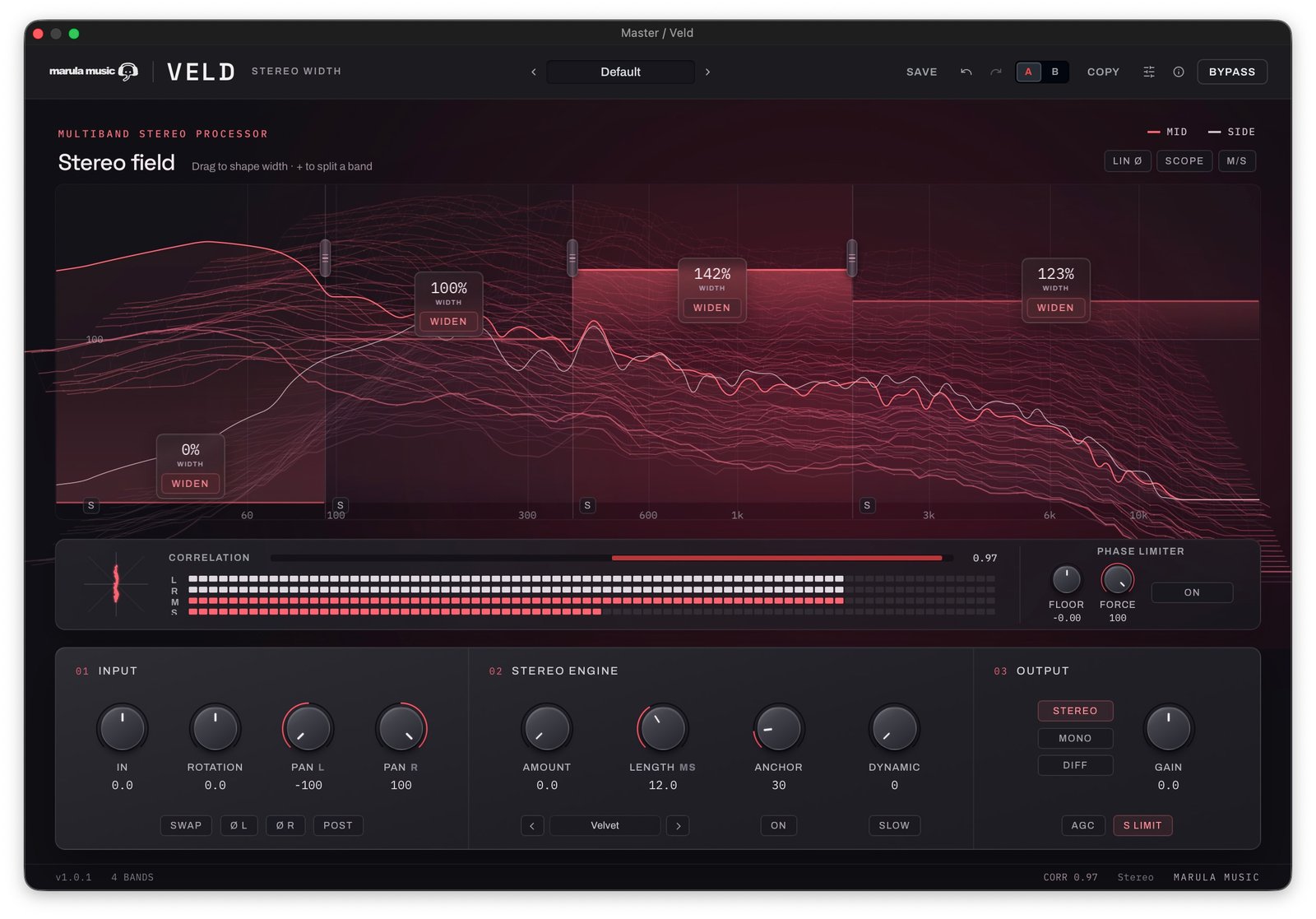
Multiband width
Keep the bass narrow. Open the upper bands.
Start with one full-range band and split it into up to four. Drag each band’s width from mono at 0% through neutral at 100% to expanded Side at 200%. Set the low band to mono while widening the frequencies above it, or solo bands to hear exactly what you are changing.
Stereo engine
Give mono sources a stereo field.
Choose Haas delay, Allpass decorrelation, Velvet noise or Chorus modulation to generate width. Apply it only to the bands you select. ANCHOR pulls the generated width back on fast transients, keeping the attack centred while the sustain spreads out.
Phase limiter
Set a correlation floor.
The Phase Limiter reduces Side in each band when correlation falls below your target. FLOOR sets that target; FORCE sets how much correction to apply. It leaves Mid unchanged. Per-band gauges and an amber effective-width line show where the limiter is working.
Check the result in mono
Switch the output between Stereo, Mono and Diff. Use Diff to hear the difference signal, and watch the vectorscope and final output correlation as you adjust width.
Compare at a matched level
AGC compensates for level changes caused by processing. Store two independent settings in A/B, copy between them, and undo or redo your edits.
Choose your crossover
Use the default zero-added-latency crossover while recording, or select linear-phase processing for multiband work when added latency is acceptable.
Watch
See Veld in action
System requirements
Changelog
Current version: 1.0.4
Veld
One-time purchase, free 1.x updates, 3 activations. Checkout and licensing via Moonbase.
Checkout runs in USD or EUR — Moonbase is our merchant of record worldwide, so sales tax/VAT is handled automatically. Paying with a ZAR card works fine; your bank converts it at checkout, which can add a small card surcharge on their end — there's no separate ZAR price to quote.
From the room
No reviews yet.
Sign in to leave a verified-buyer review.
Questions
Can Veld widen a mono recording?
Yes. The Stereo Engine generates a Side signal using Haas, Allpass, Velvet or Chorus processing. Enable WIDEN for the bands you want to process, then raise AMOUNT. The generated Side signal cancels when summed to mono.
Does Veld add latency?
The default Linkwitz-Riley crossover adds no latency. Optional linear-phase processing adds host-reported latency when using two to four bands. A single full-range band needs no crossover latency.
How do I try Veld?
Download the installer, open Veld in your DAW, and choose Activate to start your trial. No account or card is needed. Downloading the installer does not start or reset a trial, and it does not give you a full license.
Can I activate on an offline studio computer?
Yes. Use the offline activation flow to generate a license file from a computer with internet access, then transfer it to your studio computer.
Hit a bug? Send a report — it goes into the Veld queue.