
Spek
A saturator for adding harmonics and controlling level on tracks, buses, and full mixes.

Saturation
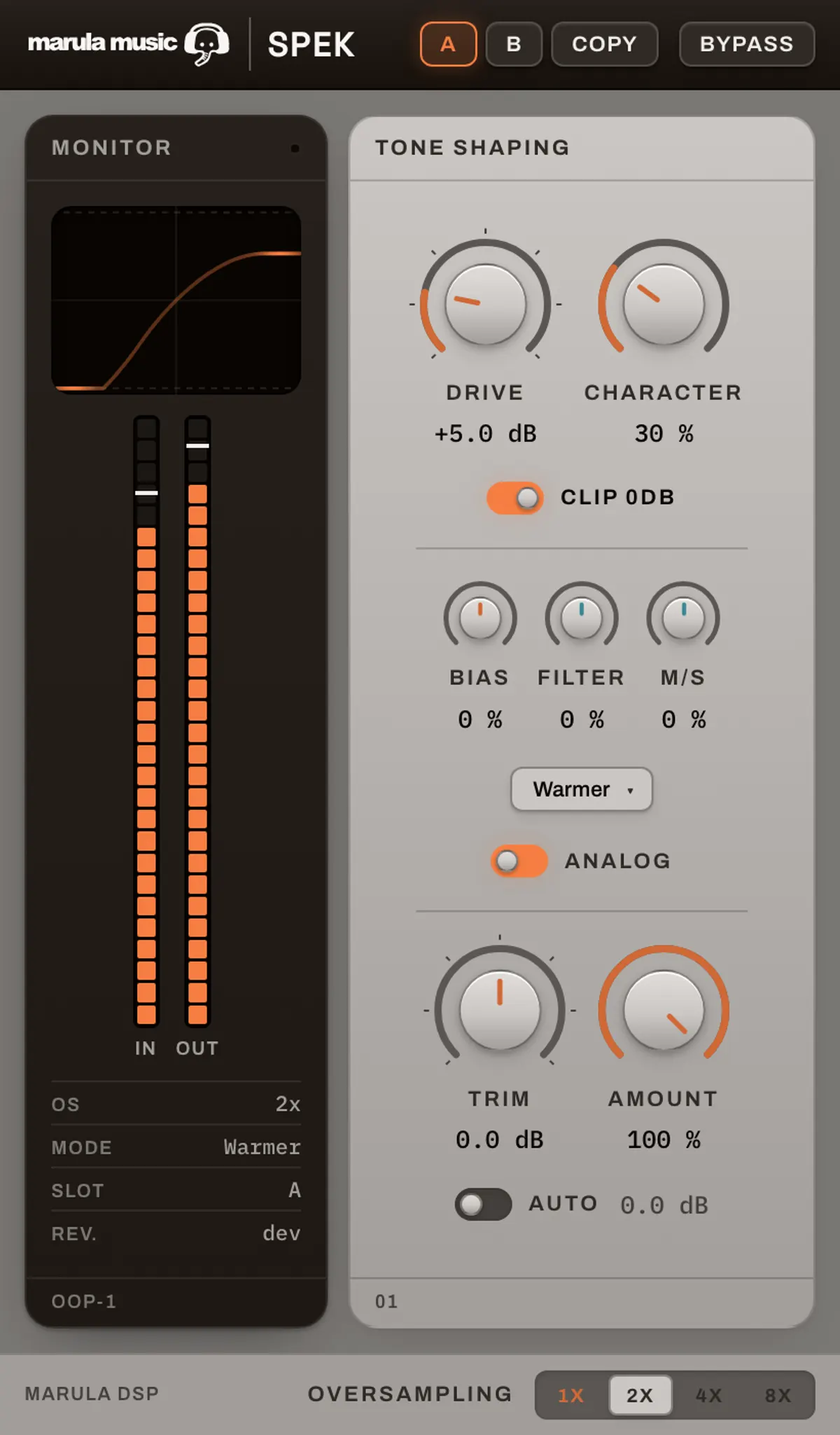
Set the amount of saturation
Spek runs the signal through a waveshaping curve to add harmonics and raise perceived level. Use it on an individual track, a drum or instrument bus, or a full mix. Raise Drive to push more signal into the curve, then turn on Auto to cancel the raw Drive boost so you can judge the change in sound. Amount blends the processed signal with the dry signal.
Voicing
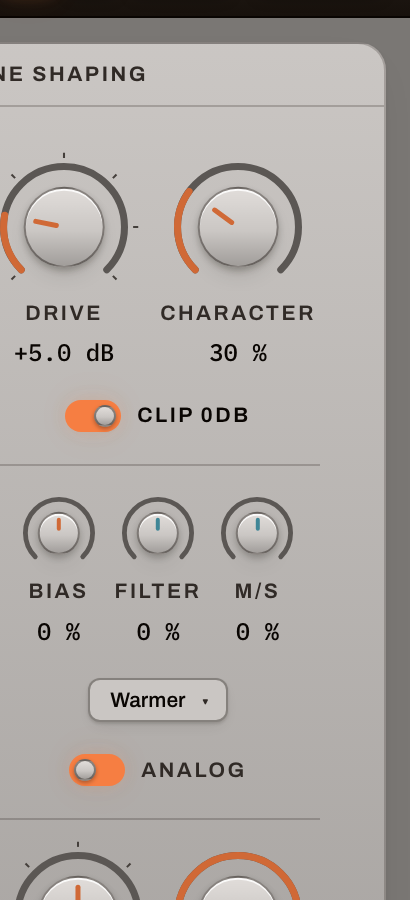
Choose the harmonics and shape the tone
Classic produces odd harmonics; Warmer adds a second harmonic. The modes are level-matched, so you can compare their character without a level jump. Character changes the shape of the saturation curve. Bias tilts the signal before it reaches the shaper, changing which frequencies saturate most; Filter adjusts the tone afterwards. For a vocal or guitar that needs more edge, try a small positive Bias. For a bus that gets too bright, pull Filter back after setting Drive.
Monitoring
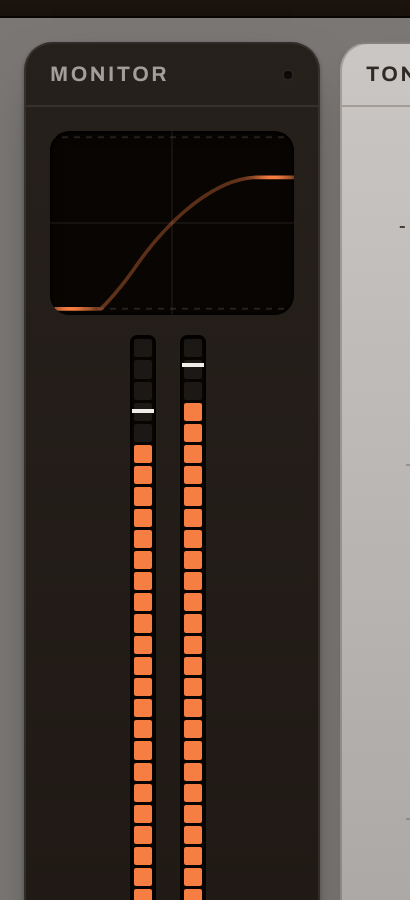
See and check the processing
The transfer-curve display shows the actual shaping function and highlights the part reached by the incoming signal. IN and OUT meters show peak and RMS levels, while the OVER indicator latches when a peak passes 0 dBFS. Use the display to see how hard the source is hitting the curve, and the meters to check the level after you adjust Drive, tone, or the wet/dry balance.
A straightforward starting point
Insert Spek, turn on Auto, then raise Drive until the effect is useful. Use Amount to back it off. Try A/B to compare two settings on the same source.
Level compensation without pumping
Auto applies a fixed −Drive dB gain change. It does not follow the audio envelope, so it adds no pumping or latency. It cancels the Drive boost, though changes to Bias or the shaper can still affect the output level.
Oversampling when you need it
Choose 1× for zero oversampling latency, or 2×, 4×, or 8× to reduce aliasing from the shaper. Higher settings use more CPU and add a small delay that Spek reports to the host.
Watch
See Spek in action
Audio demos
Toggle between the dry signal and the same source through Spek.
System requirements
Changelog
Current version: 1.0.1
Spek
One-time purchase, free 1.x updates, 3 activations. Checkout and licensing via Moonbase.
Checkout runs in USD or EUR — Moonbase is our merchant of record worldwide, so sales tax/VAT is handled automatically. Paying with a ZAR card works fine; your bank converts it at checkout, which can add a small card surcharge on their end — there's no separate ZAR price to quote.
From the room
No reviews yet.
Sign in to leave a verified-buyer review.
Questions
How does the trial work?
Download the installer, open the plugin in your DAW, and choose Activate to start the trial. No account or card is needed. Full features run for a limited time; after that the plugin bypasses politely instead of making noise.
Can I activate offline?
Yes — studio machines with no internet can activate with a license file generated from any browser.
What does the license cover?
Licensing and receipts are handled by Moonbase as merchant of record. Exact terms are confirmed at checkout.
Refunds?
Try the trial before you buy — but if something is genuinely broken on your system, write in and we will sort it out.
Hit a bug? Send a report — it goes into the Spek queue.