Sequencing in Zebra 3: Building Sequences in a Synth With No Sequencer
When Zebra 3 finally arrived in April, after more than a decade of “it’s coming,” one of the first things I saw in the comments was a complaint: no arpeggiator, no step sequencer. People expected the big rebuild to ship with the one obvious thing, and it didn’t. I get it. I miss the arpeggiator too, especially for a few patches I built for the library that were really meant to be arpeggiated.
But sequencing in Zebra 3 is absolutely possible, and the way you do it is more interesting than dragging notes into a step grid. You build sequences out of the modulation system itself: retriggered envelopes, MSEGs, LFOs and the Maths modules. It takes a roundabout route, and that roundabout route is exactly the kind of thing I like about how u-he designs synths. This is a walk through the approach, the thinking behind it, and where it comes from. The video covers the click-by-click if you want to follow along at the synth.
Why Zebra 3 doesn’t have a sequencer, and why that’s on brand
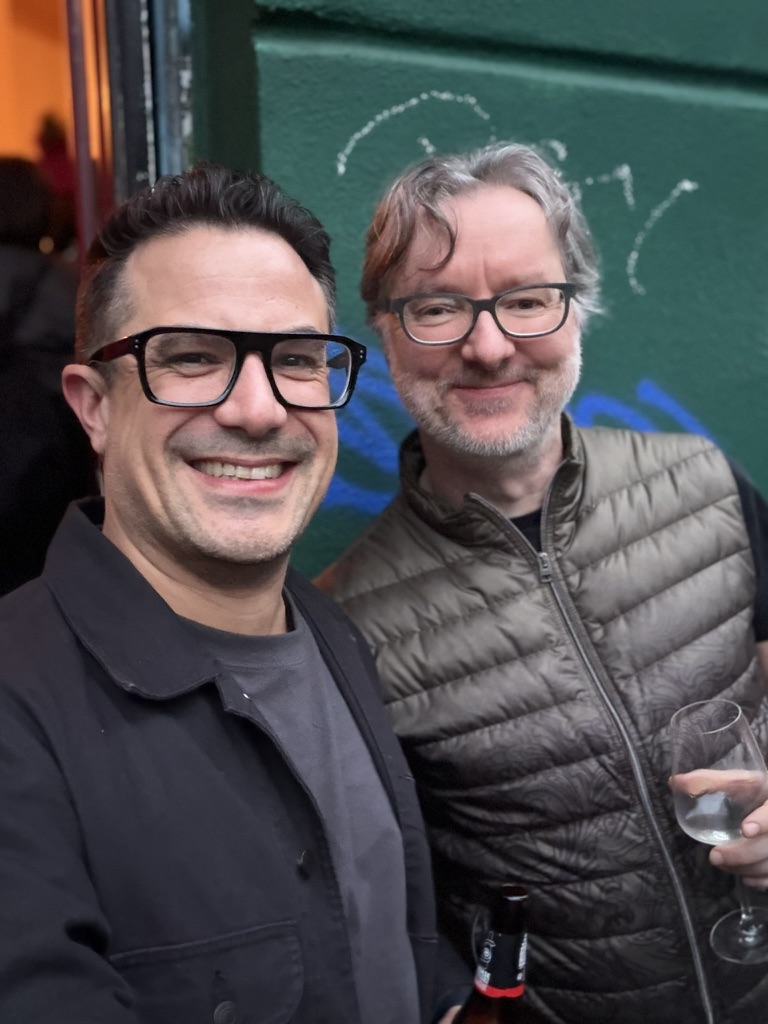
It helps to know who you’re dealing with. u-he is Urs Heckmann’s company, founded in 2001, and a big chunk of its DNA is modular. The ACE and Bazille synths are part of an ongoing project Heckmann calls “Berlin Modular,” a nod to the Berlin School of Tangerine Dream and Jean-Michel Jarre, and to the first modular he ever touched, a wonderfully out-of-tune Roland System 100M. The whole philosophy there is “any cable, anywhere”: patch any output into any input and see what happens.
Zebra was conceived as the counterpoint to that. Instead of a wall of small modules and a spaghetti of cables, Zebra’s idea is a handful of very powerful modules that need very little patching to get somewhere complex. Zebra 2 became a workhorse for film composers on the back of that idea, Hans Zimmer included, and it’s now kept alive as Zebra Legacy.
Zebra 3 doubles down. The new interface is dynamic: modules only appear when you add them, so the signal flow shows you exactly what is involved and nothing you aren’t using. That design choice is the clue to the whole sequencing question. In a synth built around flexible modulation routing, a sequencer isn’t a missing feature so much as something you’re expected to assemble from parts. Annoying if you wanted a quick arp. Liberating once you stop fighting it.
Sequencing is older than the sequencer
Here’s the bit that makes this feel less like a workaround and more like going back to first principles. The step sequencer, the thing everyone wanted Zebra 3 to ship with, started life as exactly this kind of assembled module.
The earliest electronic sequencers were analog. When Don Buchla and Bob Moog were independently building the first voltage-controlled modulars in the early 1960s, the sequencer they came up with wasn’t a piano roll. Buchla’s 1964 model 123 Sequential Voltage Source was, quite literally, a row of knobs, each one setting a voltage, with a clock stepping through them one at a time. Moog’s 960 Sequential Controller in 1968 did the same with three lanes you could chain together. Each step output a control voltage; that voltage set a pitch or opened a filter or fired an envelope. A sequence was nothing more than a clock walking through a series of voltages.
That is what you are rebuilding inside Zebra 3. An LFO or a Maths module is your clock. An envelope is your gate. The Mapper is your row of pitches. Once you see it that way, the “missing” sequencer stops feeling missing, because you have all the parts the original sequencers were made of, and a lot more besides.
The core trick: a retriggered envelope is a gate
The foundation of everything here is one idea: an envelope you can retrigger becomes a rhythmic gate.
Worth being precise about the language, because it matters once you start patching. A trigger is a one-off “go” signal, an instant. A gate is a sustained “hold this open” signal with a length. A normal envelope fires once when you press a key. But Zebra’s envelopes can take a trigger source, which means something other than your finger can fire them, over and over, in time.
Start with an initialised patch and envelope one, which sits on the volume of the lane by default. You aren’t locked to that, you can route envelope one anywhere, but volume is the easiest way to hear what’s happening. Make it short and percussive. Now give it a trigger source. An LFO works beautifully: set it running and envelope one fires every cycle, and suddenly you have a pulse. Flick the LFO to 16th notes and you’ve got the skeleton of a sequence, a steady gate pattern with no notes drawn anywhere.
The visualiser is your friend through all of this. Zebra 3 will show you the LFO shape, the gate pattern, the audio, whatever you point it at. Sequencing by modulation can get abstract fast, and being able to see the gate makes it far less of a guessing game.
Making it musical: probability and the Maths modules
A steady 16th-note pulse is a metronome, not a groove. This is where the Maths modules earn their place.
Route the gate through a Maths module instead of straight from the LFO, and you open up trigger chance. Set the probability to around 50% and the module only passes roughly half the triggers through. Now your rigid pulse has gaps, and those gaps move. You’ve gone from a sequence to something generative, where the pattern is broadly the same every bar but never quite identical.
This is the same thinking behind a lot of modern modular and Eurorack sequencing, where probability and chance are first-class tools rather than afterthoughts. You’re not programming a fixed pattern, you’re setting up a system and letting it surprise you within limits you control. For anything hypnotic, trance, psy, ambient, that little bit of controlled randomness is often what separates a loop that breathes from a loop that grates after eight bars.
Pitch that stays in key: the Mapper, not the Pitches module
Rhythm is the easy half. Pitch is where people usually give up, and where the choice of module really matters.
The obvious route is the Pitches module, which has chord structures and quantising built in. It works, but it has a catch: it tends to hard-code a scale that gets applied to anything using that pitch, rather than staying relative to the key you’re actually playing. Hold down a different root and the pattern doesn’t follow you. For a fixed riff that’s fine. For something you want to play in different keys, it fights you.
So I reach for the Mapper instead. The trick is to assign it to the tuning, but not directly: if you patch a modulation source straight onto tuning you get high resolution, but you lose access to the quantising on the mod source, and quantising is the whole point here. Bring the Mapper in, assign it to tuning, drop the steps down to something manageable (twelve is a sensible start), and set increment mode to per key.
One gotcha worth flagging, because it caught me on camera. Give the Mapper a single gate from the keyboard and it doesn’t know your envelope is retriggering underneath, so it just sits on one note. You have to modulate it from the same LFO that’s driving everything else, so it steps in time with the gate. Once it does, you’ll see it pause on the steps where probability has eaten the note, which is a nice bonus: the pitch sequence and the rhythmic gaps line up automatically.
From there it’s quantising. Step the quantise to 12 and you can work per octave, by fifths, or in integers so there’s no in-between tuning. Integers alone still won’t be in key, so pick an actual scale, a minor scale in my case, set the map to function as unipolar, switch hard snap on, and dial the subdivisions and tuning amount until the spread of notes is musical. Now the sequence is genuinely in key, and because it’s key-relative, the bass note follows whatever you hold down. That’s the part the Pitches module couldn’t give you.
Accents, movement and the sample-and-hold trick
A sequence that’s perfectly even is still a bit lifeless. Accents are what make it feel played.
Add a filter with its own envelope (envelope two), trigger it from a Maths module the same way, and you can shape the filter per step. Then use overshoot as an accent, a little push past the target value on certain hits. The instinct is to randomise that with the random source, but random needs a gate to fire, and we only have the one keyboard gate. So it sits still.
The fix is a classic, and it’s pure modular heritage: sample and hold on noise. Sample and hold does exactly what it says, it grabs the value of a signal at the instant it’s triggered and holds it until the next trigger. Feed it noise and trigger it in time, and you get a fresh random value on every step, the stepped-random sound that’s been a staple of modular patches since the 1970s. Set the noise mod sources to sample and hold, give them the Maths module as their gate, and now your overshoot accents land on different notes each time. Small thing, big difference in feel.
You can keep stacking. I ran a third oscillator, a sub set to a sine that doesn’t track pitch, into the filter as an FM source, used the existing pitch to tune the FM, added a touch of compression and a 75/50 delay. None of that is sequencing as such, it’s just the stuff that turns a working sequence into a finished patch.
Where it gets fun: morphing between sequences with MSEGs
Everything so far builds a sequence. The MSEGs let you have several and morph between them, and this is the part I’d actually sit and play with for an afternoon.
An MSEG is a Multi-Stage Envelope Generator, a programmable envelope with as many stages as you want rather than the four fixed ones of an ADSR. Zebra 3 gives you four of them, and the clever bit is that they’re built the same way the oscillators are: as splines, smooth curves defined by points you can morph between. The new modulation system has eight morphable curve shapes per MSEG.
Because an MSEG is a freely drawn shape, you can draw a sequence straight into it, the way you used to draw pitch in Serum 1 before Serum 2 added a proper pitch lane and sequencer. But because it morphs, you can lock in one sequence, lock in another, and crossfade between the two in real time. Put that morph on the mod wheel and you can play between two completely different sequenced patterns with one hand. One of my own patches, the Plasma Cut-Up preset, does exactly this: the sequencing is coming entirely from the MSEGs, and the mod wheel morphs between shapes to change the pattern as you play.
That’s the thing a step sequencer can’t easily do. A grid gives you a pattern. Spline-morphing MSEGs give you a space of patterns you can move through.
Is it worth the faff?
Honest answer: depends what you want. If you need a quick arp to sketch an idea, use the arpeggiator on your controller or in your DAW, that’s what they’re for, and I’d bet a built-in arp turns up in Zebra 3 eventually anyway. But if you want sequences that are generative, key-relative, and morphable in ways a step grid can’t manage, building them from the modulation system is genuinely more powerful, not just a workaround. Combine retriggered envelopes, LFOs, the Maths modules and the MSEGs and you’ve got a sequencing setup with no traditional sequencer in sight, and more range than most synths give you with one.
It also teaches you the synth. Spend an evening doing this and you understand Zebra 3’s modulation routing far better than you would poking at a pattern editor.
FAQ
Does Zebra 3 have an arpeggiator or sequencer? No. Zebra 3 shipped without a dedicated arpeggiator or step sequencer. You create sequences using its modulation tools instead: retriggered envelopes, MSEGs, LFOs and the Maths modules.
Can you sequence in Zebra 3 without a sequencer? Yes. Retrigger an envelope from an LFO or Maths module to generate a rhythmic gate, use the Mapper to set key-relative pitch, and quantise to a scale. Add probability and sample-and-hold noise for movement.
What is an MSEG in Zebra 3? An MSEG is a Multi-Stage Envelope Generator, a freely shaped envelope built from morphable spline curves. Zebra 3 has four, and you can draw sequences into them and morph between different patterns in real time.
Is the modular approach better than a step sequencer? For fixed patterns, a step sequencer is faster. For generative, key-relative or morphing sequences, building from Zebra 3’s modulation system gives you more range and control.
Try it yourself
The video walks through every step of this at the synth, so watch that alongside if you want to build it knob for knob.